
Quality control for drawings, without the dread.
Checking issued drawings is painstaking work — and it is exactly what keeps costly errors and rework off site. Archi Check makes it quick, clear and genuinely pleasant: mark up issues, assign corrections, and track each one to closed. The drawing fills a whole second screen, so every line and note is bigger and sharper than a printed set.
Windows & macOS available now · per-seat licensing · 14-day trial
Download the free trial: Windows · macOS (Apple Silicon) · macOS (Intel)
Why Archi Check
Quality control, made calm.
Every set of drawings carries the same quiet question: is it right? Archi Check turns checking into a real loop — mark up the issue, assign the fix, verify, close — and keeps the whole record beside your drawings, in your own project folder. No migration. No platform. Your folder stays the source of truth.
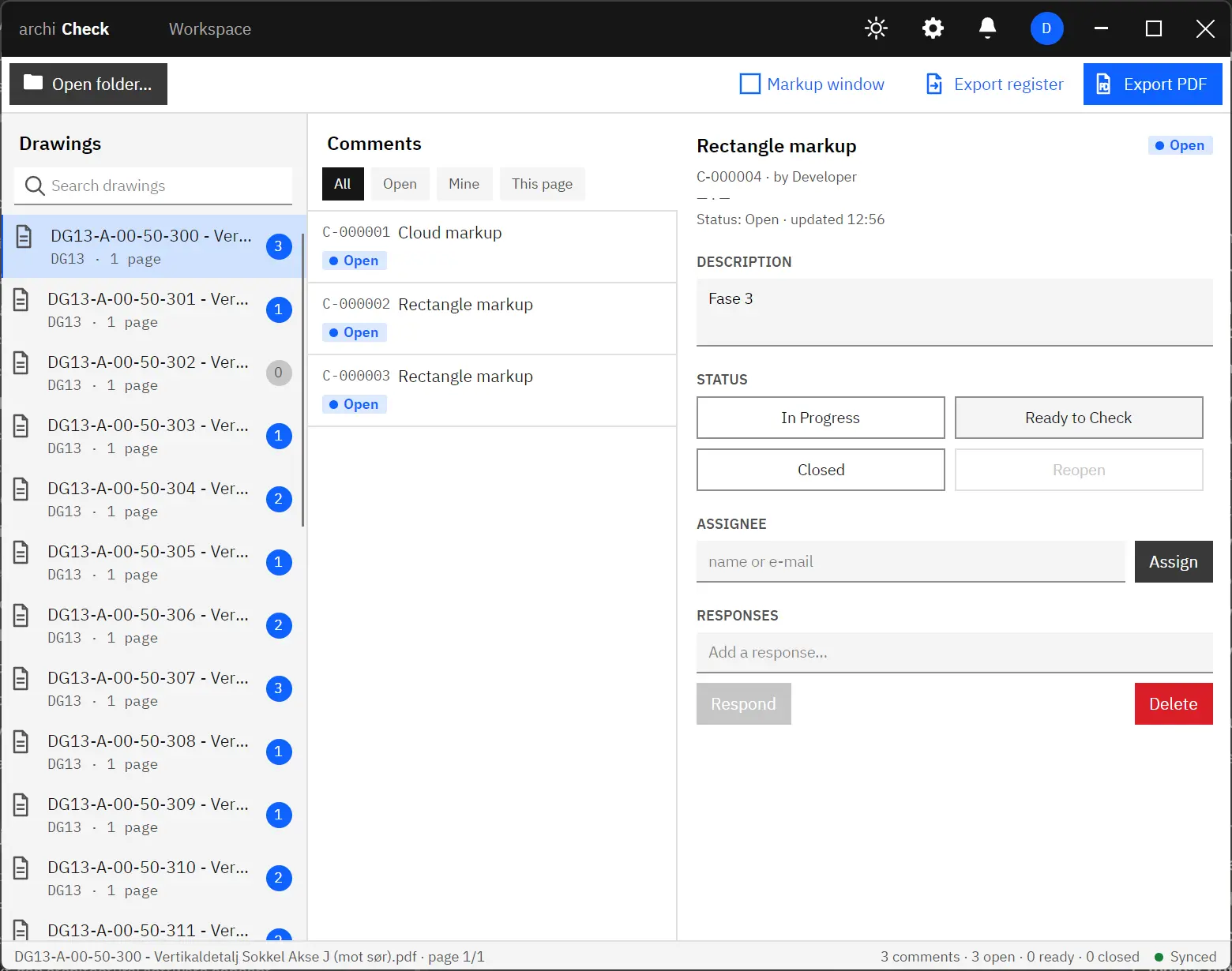
One window to manage the review.
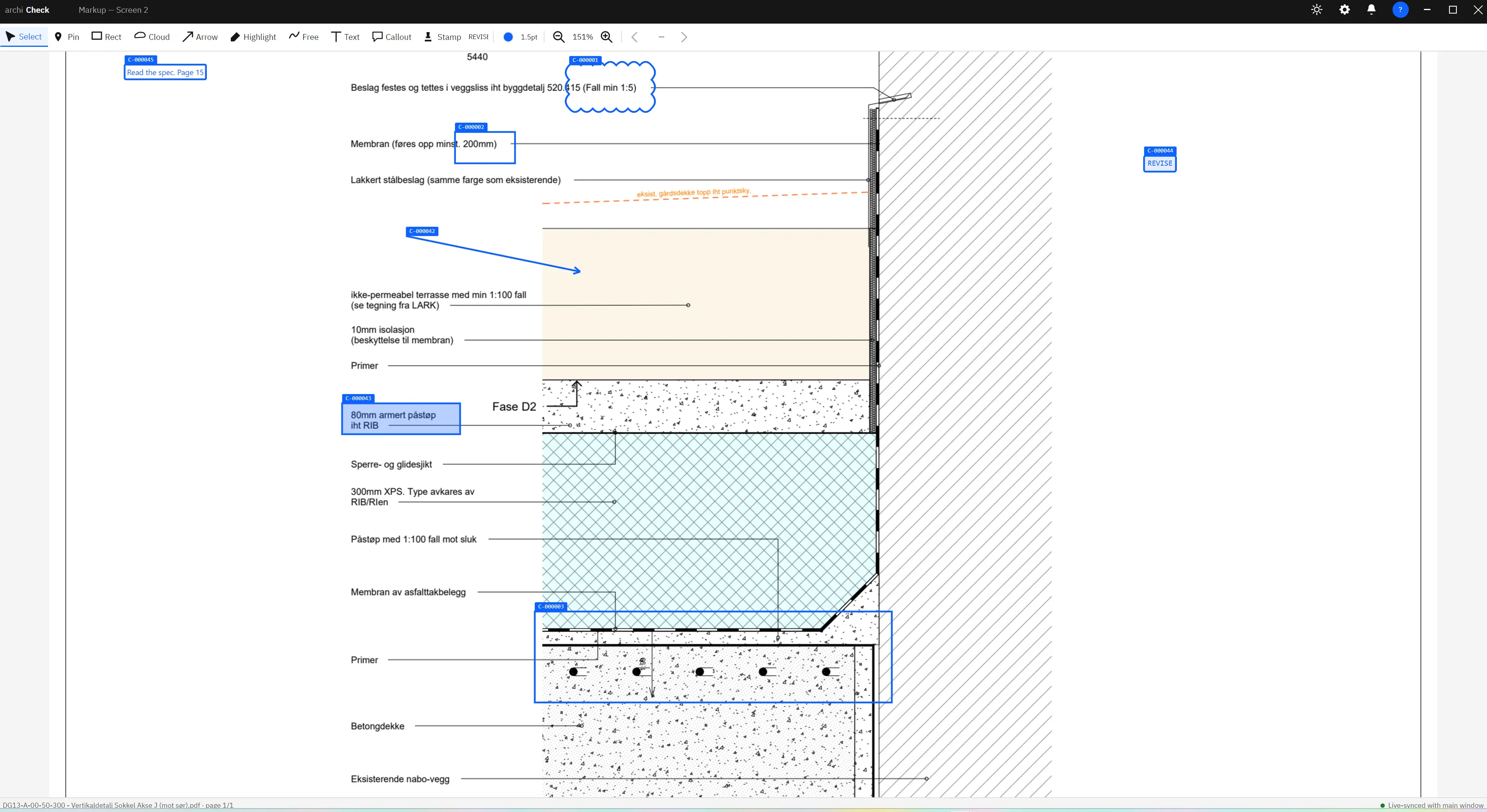
One screen for the drawing itself.
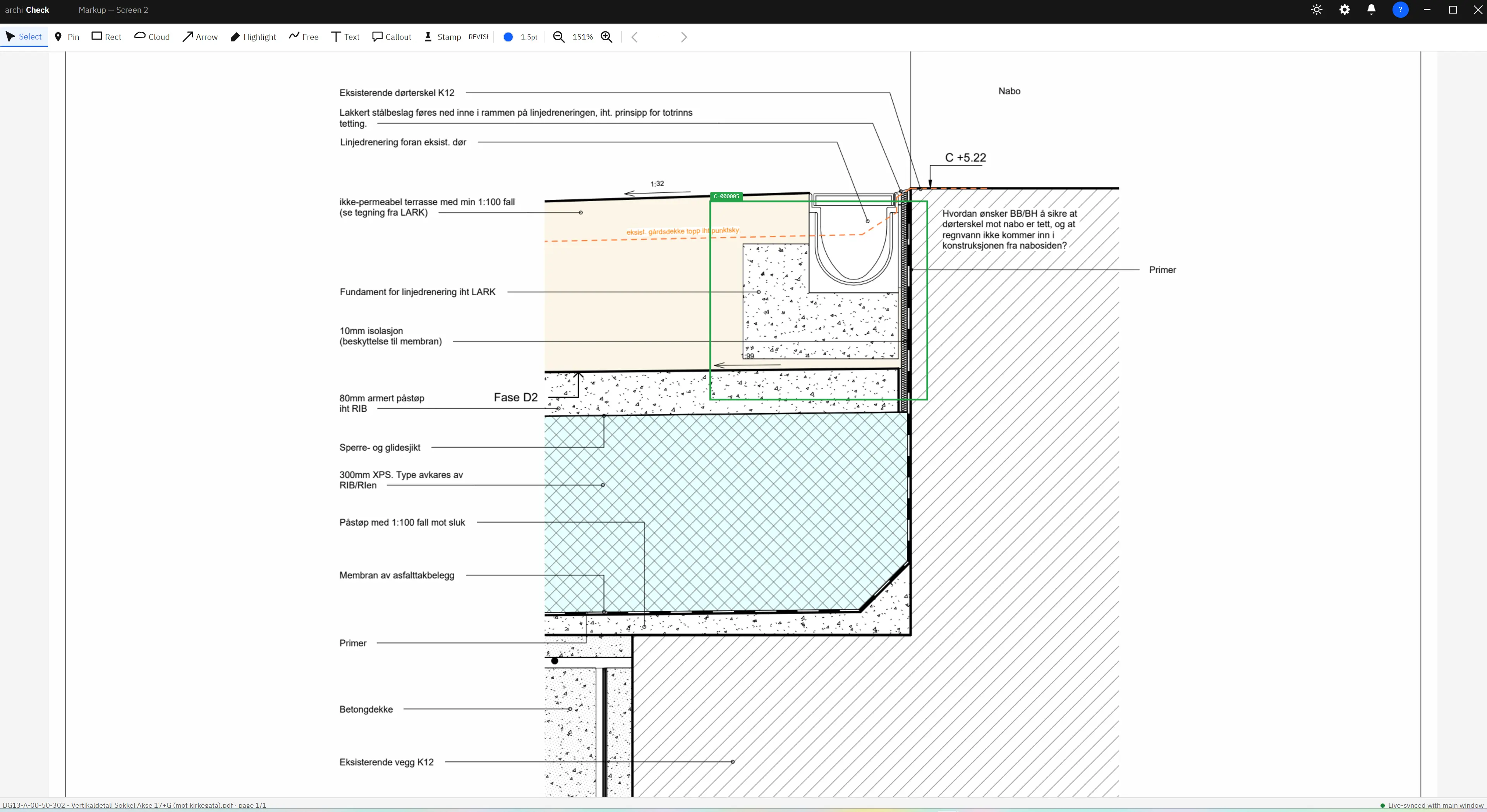
Archi Check runs as two live-synced windows. Keep the workspace — drawings, comments and status — on your main monitor, and send the drawing to a second screen where it fills the glass edge to edge. Zoom into the smallest dimension or note and read it clearly — the way a printed check set never let you.
- See it at full size. The PDF takes the entire second screen, so the detail you are checking is bigger and crisper than paper — nothing is too small to read.
- Always in sync. Both windows share one live view. Select a comment in one and it is there in the other, instantly.
- Smooth zoom & pan. Cursor-anchored zoom and middle-drag pan, so moving around a dense drawing feels effortless.
The QC loop
Check → Correct → Verify → Close.
A clear, four-stage review that everyone on the team can follow. Each markup is one tracked comment, from the moment it is raised to the moment it is closed.
Check
Open a folder of PDFs, mark up an issue, and write a note. A tracked comment is created.
OpenCorrect
Assign the comment to a corrector and move it to In progress. Responses are added as work proceeds.
In progressVerify
The corrector marks it Ready to check. A checker reviews the fix against the drawing.
Ready to checkClose
Close resolved items and export a marked-up PDF and register — the original is never touched.
ClosedNo re-scanning, ever. Mark up a printed set and you still have to scan it all back in to archive your control. In Archi Check the workflow is digital from the very first comment — every markup, response, assignment and status change is recorded as you work. Your QC record builds itself, and exports to a register and a marked-up PDF in one click.
How it works
See a full QC pass in 90 seconds.
Open the folder your PDFs already live in, cloud-and-comment an issue on the markup screen, assign it and move it through the workflow, and export a clean register and marked-up PDF — all beside your files, originals untouched.
Markup
Every markup tool you reach for.
A full QC markup set, on par with the tools you already know. Each markup is one tracked comment, tagged with its display number — like C-000001 — and carries its own colour and line weight. Select, move, resize or delete any of them at any time.
Pin
Mark a single point
Rectangle
Box an area
Cloud
Revision cloud
Arrow
Point to a detail
Highlight
Translucent marker
Freehand
Free pen stroke
Text
Place a text note
Callout
Bubble with a leader line
Stamp
QC rubber-stamp badge
Status tags stay colour-coded by state — so you read Open / In progress / Closed at a glance, even when markups use custom colours. Text, callout and stamp content flows straight into the exported register.
Roles & permissions
Five roles. One admin area.
Invite your team by email and assign a role from the admin area. Each role gates exactly what a member can do — and the app enables or disables actions to match.
| Capability | Manager | Project Lead | Checker | Corrector | Viewer |
|---|---|---|---|---|---|
| Comments | |||||
| View comments | |||||
| Create comments (markups) | |||||
| Edit own comments | |||||
| Edit anyone's comments | |||||
| Workflow | |||||
| Change status | |||||
| Assign corrections | |||||
| Add responses | |||||
| Export register & marked PDF | |||||
| Administration | |||||
| Manage users & roles | |||||
| Manage license (billing & seats) | |||||
Your folder stays the source of truth.
Archi Check works right where your drawings already live — your project folder on OneDrive, SharePoint or a network share. There is nothing to migrate, and your QC data never leaves that folder.
- Stays with your filesComments, history and exports live in your own project folder. Only sign-in goes online.
- Built for teams on a shared driveYour whole team can review the same set at once, and everyone sees the same comments — no separate platform to set up.
- Non-destructiveExports are saved as a new copy. Your original drawings are never changed.
Where it fits
Built for the QC job — not a general PDF editor.
If you only need to run drawing QC, a full PDF suite is more tool than the task asks for. Archi Check does the review loop well, and little else on purpose.
| General PDF suite | CDE / BIM platform | Archi Check | |
|---|---|---|---|
| Purpose-built QC register & status workflow | partial | ||
| Role-based assignment of corrections | — | ||
| Drawing fills a whole second screen | — | — | |
| Data stays in your own project folder | — | ||
| Built-in multi-user on a shared drive | — | cloud | |
| QC record captured automatically — no scanning | — | cloud | |
| No migration, no heavy platform | — | ||
| Calm, focused interface — light & dark | busy | busy |
Pricing
Per seat. Simple.
Buy a seat for each named member of your team. Sign in by email; assign roles in the admin area. Every invited member is always authorized while their seat is active.
- All five roles & the admin area
- Marked-PDF and register (XLSX + CSV) export
- Works offline within a grace window
- Windows & macOS — both included
Catch every error before it reaches site.
QC protects your drawings, your budget and your name — so we made it quick, clear and genuinely pleasant to do. Open a folder, check the set, and export a register your whole team can read.
Windows available now · macOS available now